Augwa
Augwa connects the business view of bookings, revenue, and staffing with the day-to-day work of people in the field. The designs cover a desktop operations dashboard and a mobile experience for scheduled jobs, job progress, and shift activity.
Augwa
Product Design
2025
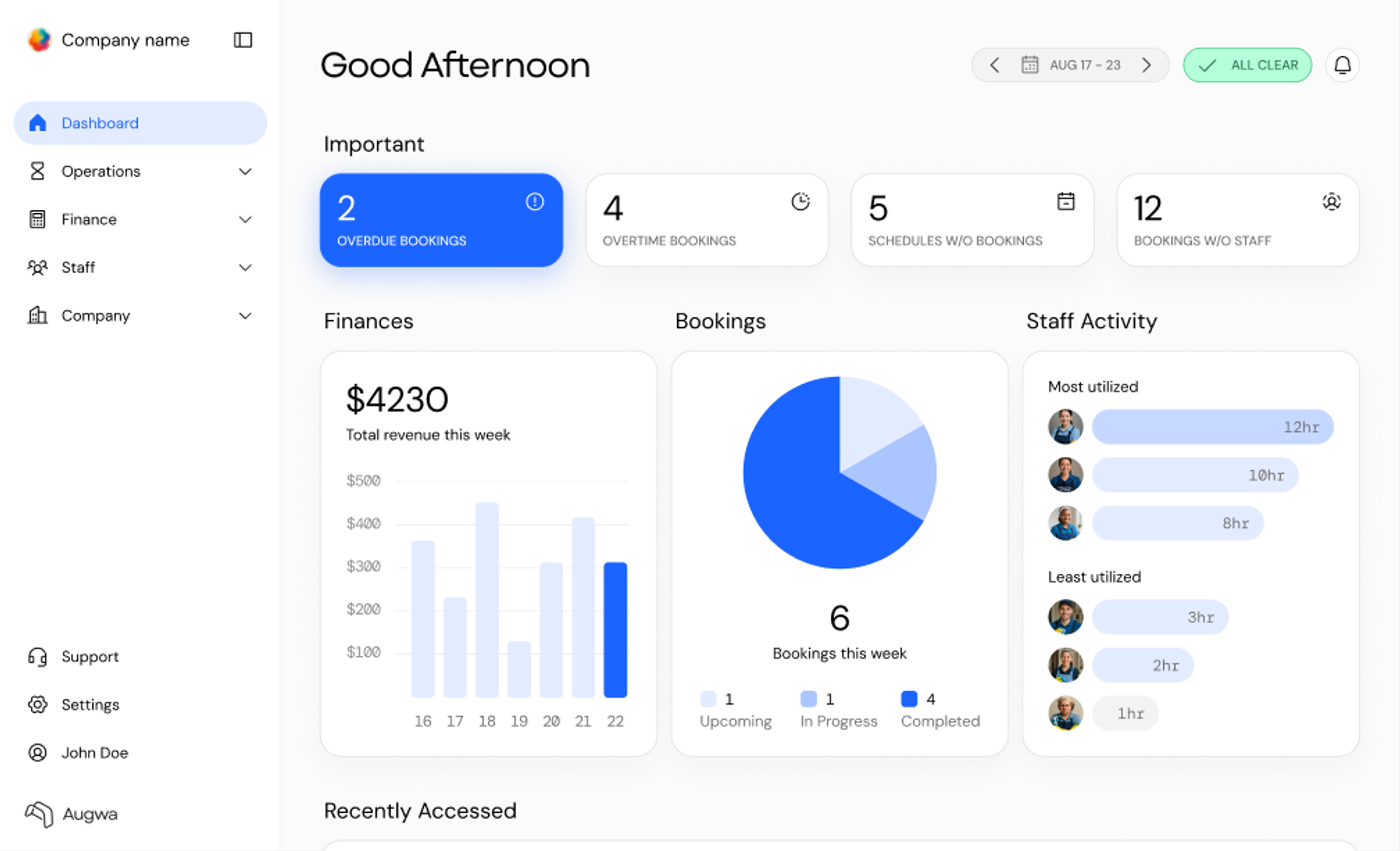
One product language for the office overview and the next job on a phone.
- Role
- Product Design Intern
- Timeline
- May–August 2025
- Focus
- Dashboard design · Mobile workflows · Design systems
Overview
During my product design internship at Augwa, I worked across web and mobile UI/UX and branding. The project included a tokenized design system and application screens that organize operational data while supporting work away from a desk.
Operations overview
Put exceptions ahead of routine reporting.
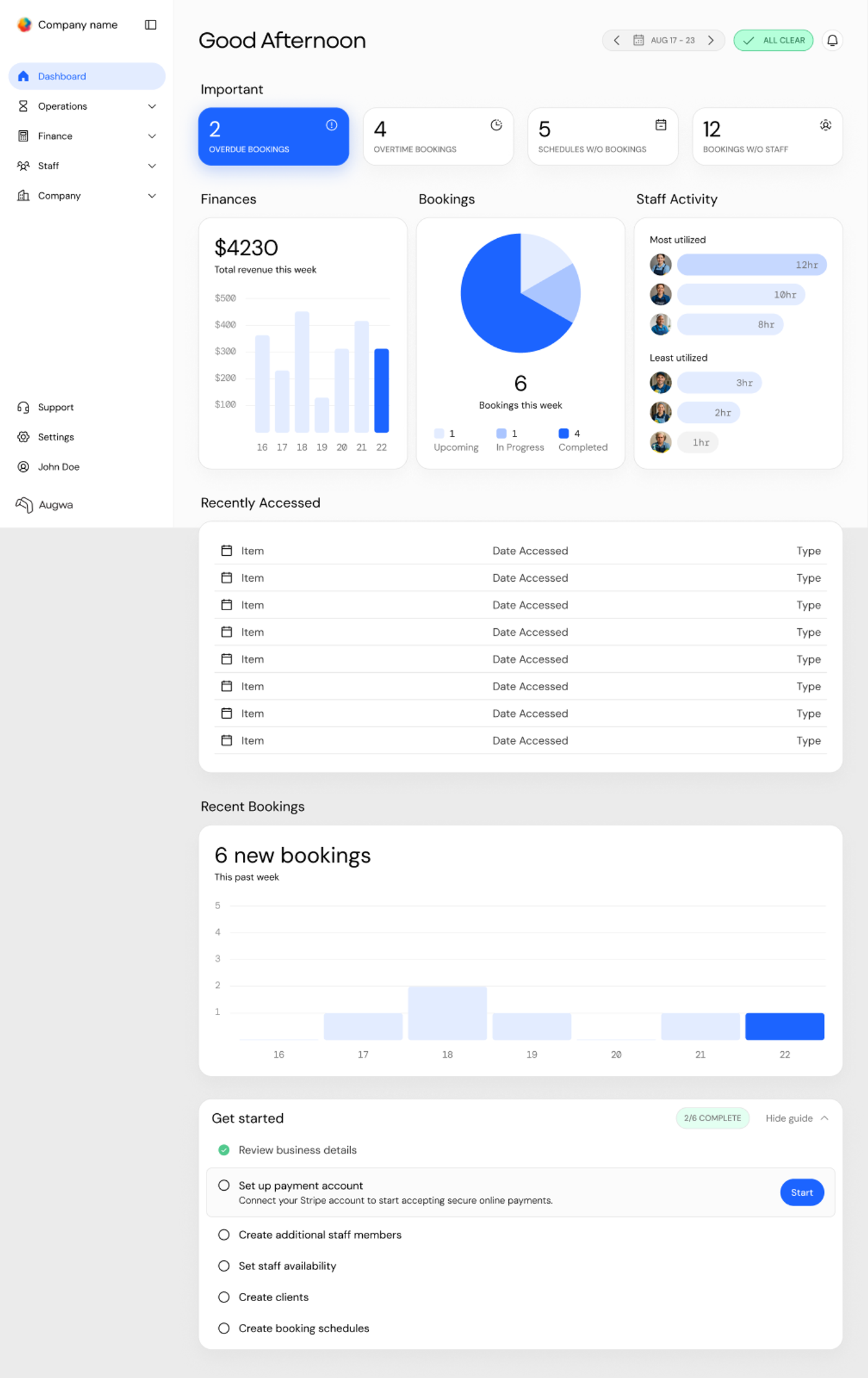
The dashboard leads with overdue bookings, overtime bookings, schedules without bookings, and bookings without staff. These cards surface operational exceptions before the revenue, booking, and staff-utilization summaries.
A persistent sidebar groups Operations, Finance, Staff, and Company. Rounded cards and a restrained blue accent create a common structure for charts, lists, and status information.
Mobile jobs
Show the next action in the context of the job.
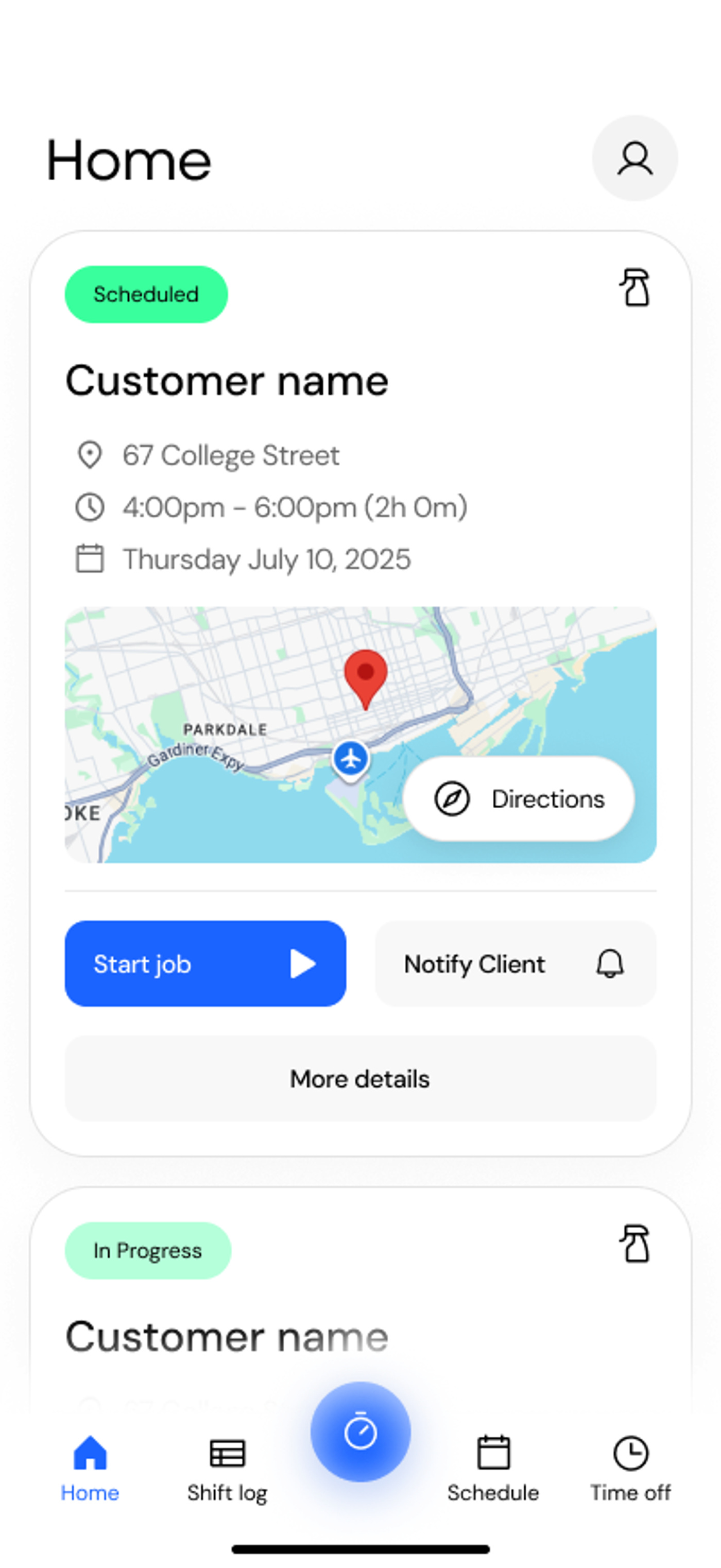
The mobile home identifies the customer, address, scheduled time, and current job status. Directions, Start Job, Notify Client, and More Details sit together so the person doing the work can act from the same screen.
Separate not-started and in-progress states change the available actions to match the job. The job-details view adds notes without overwhelming the immediate task.
Scheduling & shifts
Keep work history connected to the working day.
Schedule and shift-log screens provide the time context around each job. Punch-clock states include clocking in and out, travel, meals, and breaks, giving work activity a clear sequence.
The onboarding checklist on desktop introduces business details, payments, staff, clients, and schedules as individual setup tasks. Shared visual patterns connect these administrative steps with the operational and mobile views.