Hack404 Launchpad
Launchpad gives Hack404 participants a shared place to follow the event. Its dashboard brings the agenda, organizer announcements, project submission, and leaderboard together around the time remaining in the hackathon.
Hack404
UI/UX · Branding
2025
Keep the next event, the latest update, and the submission deadline within reach.
- Role
- Design Lead
- Timeline
- March–August 2025
- Focus
- Responsive UI/UX · Event information · Branding
Overview
As Design Lead at Hack404, I directed UI/UX, branding, and media for the student hackathon. These screens focus on Launchpad, a participant portal designed for desktop and mobile use throughout the event.
Dashboard
Organize the event around what participants need next.
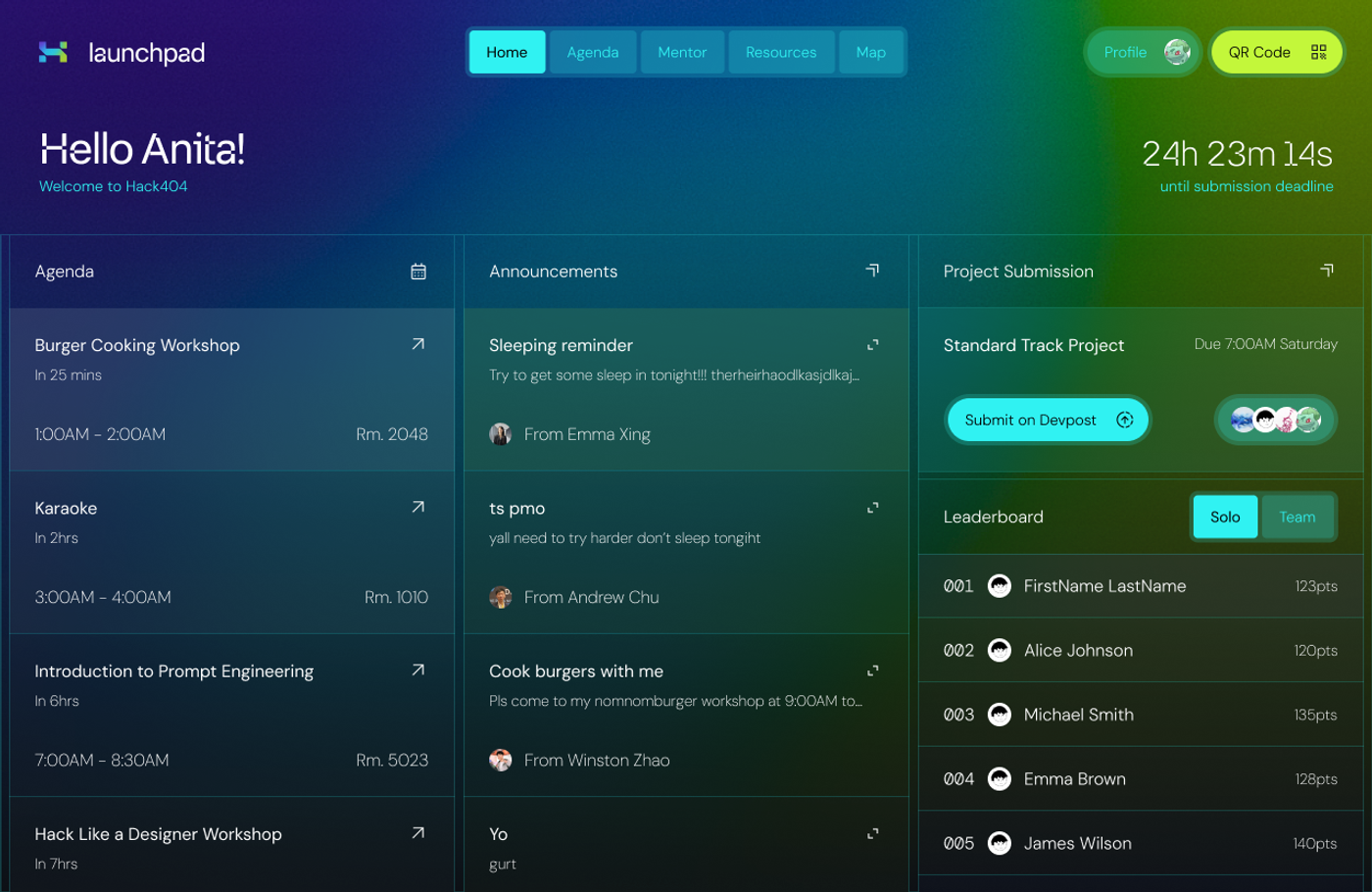
The desktop home uses three columns for the agenda, announcements, and submission area. A greeting and countdown anchor the page, while events show relative timing, scheduled times, and room locations.
The top navigation separates Home, Agenda, Mentor, Resources, and Map. Profile and QR Code actions remain visible at the edge of the header for participant-specific tasks.
Participation
Keep event logistics beside the work.
Project submission has its own panel with a deadline and a direct Devpost action. Team avatars connect the submission area to the people involved, without making users leave the overview.
The leaderboard switches between solo and team views. Repeated announcement tiles and leaderboard rows create a consistent structure for information that changes over the event.
Responsive design
Carry the event identity onto a smaller screen.
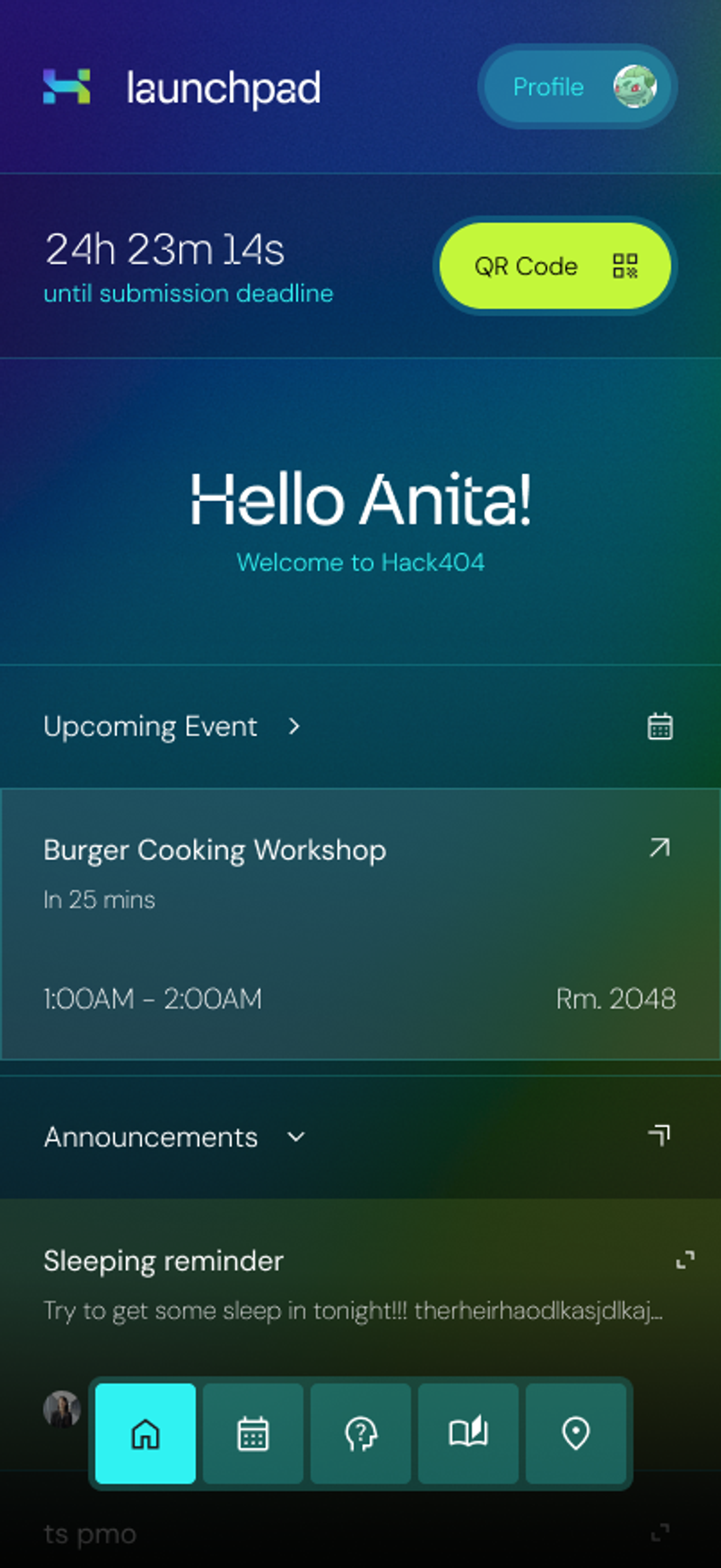
Mobile explorations reorganize the portal for a phone-sized viewport. The page retains the same event identity and core information while testing how navigation can stay accessible on the go.
A vivid blue-to-green gradient, translucent panels, thin dividers, and bright action colors give the participant portal a distinct visual language across screen sizes.