CoStudy
Finding people studying the same thing should feel as simple as finding a place to study.
CoStudy
Product Design
2025
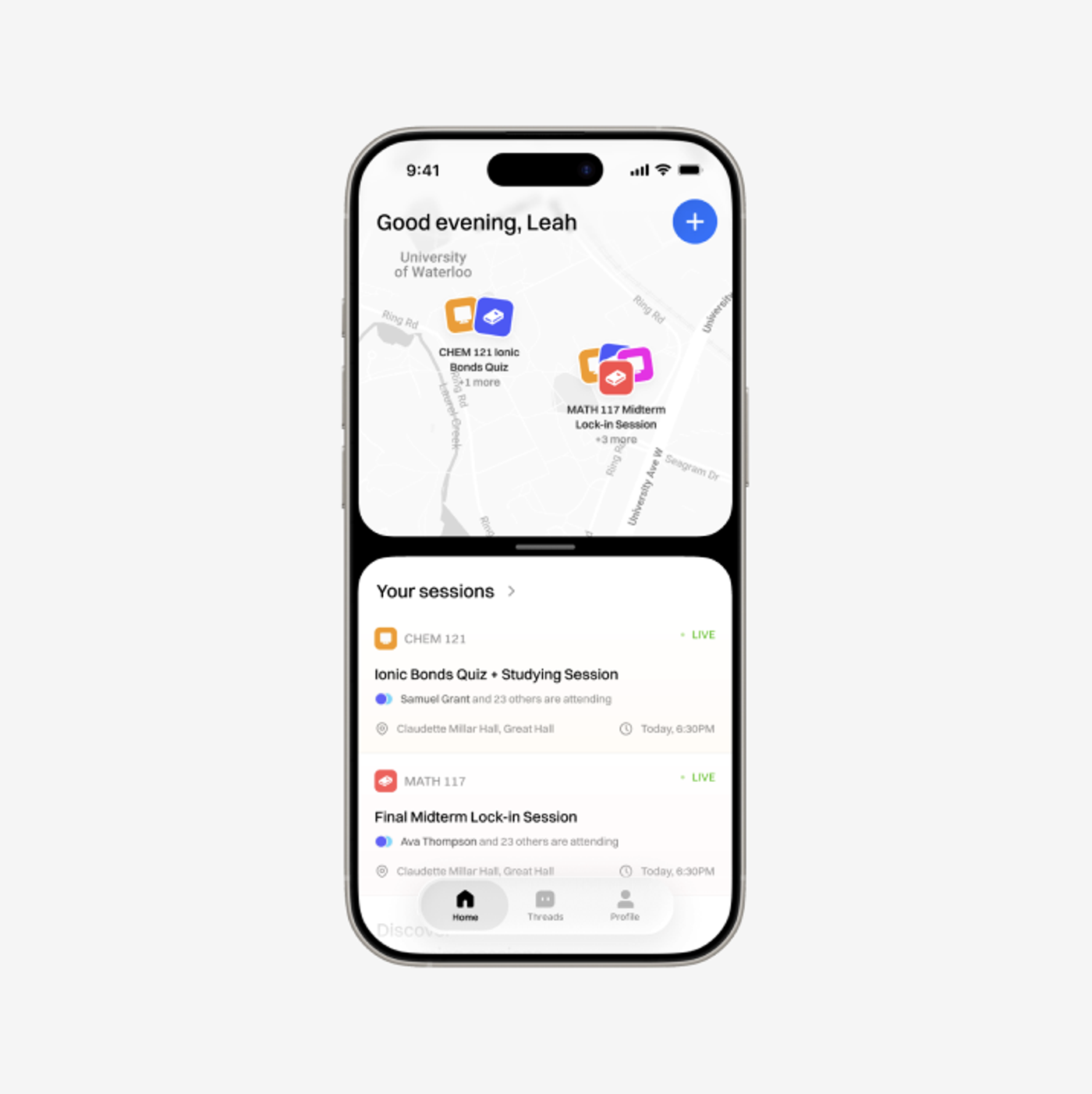
CoStudy connects students through course-based study sessions and discussion threads. The mobile interface brings campus locations, session details, and academic context together.
- Platform
- Mobile app
- Timeline
- November 2025
- Team
- Ishan, Raghav, Lily, and Winston
- Focus
- Study sessions and course communities
- Recognition
- First Place, UW Blueprint Designathon 2025
Overview
The design follows a student from university verification and course selection to discovering a session, joining a group, and asking classmates for help. A campus map anchors the home screen, while session cards provide a second way to browse.
Discovery
Start with the campus and the course
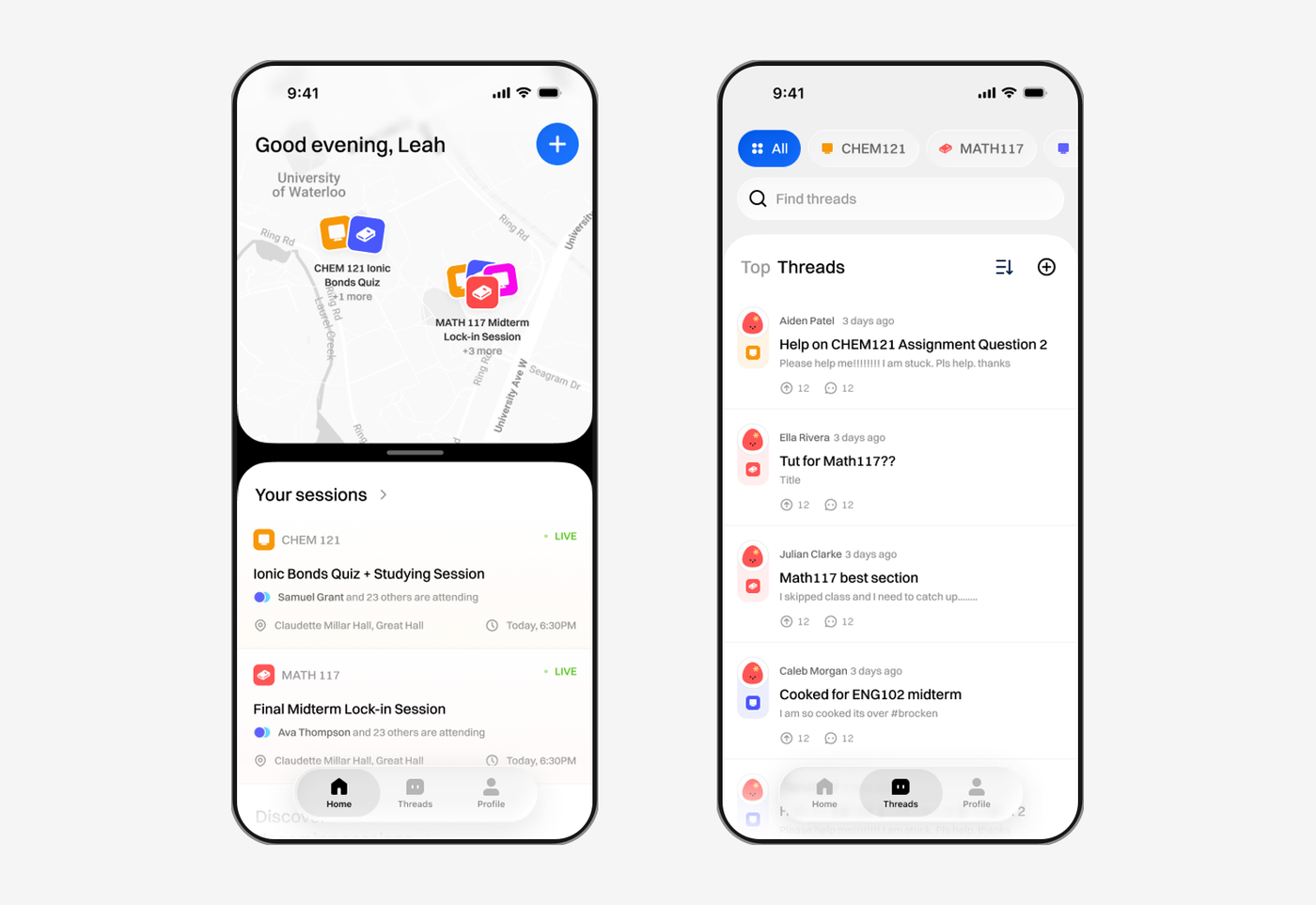
The home screen combines a campus map with a list of current and upcoming sessions. Colored course markers make groups visible on the map, and matching course labels carry that context into the cards below. A prominent plus button provides an entry point for creating a session.
Onboarding collects a university email, expected graduation, major, and courses. Course confirmation gives the student a chance to adjust that information before entering the experience.
Sessions
Make the commitment clear before joining
Session cards show the subject, activity, location, time, and people attending. Live labels distinguish sessions already happening from future plans. The detail view extends this information with the host and a direct join action.
Creating a session uses a compact form for the title, duration, date, and location. After joining, the interface offers a leave action and a link to the class thread, keeping the group connected beyond the event itself.
Community
Keep questions close to the people who can help
Course filters and thread search organize the discussion area around classes. Each thread preview shows an author, question, and activity counts; the detail screen gives replies their own space beneath the original post.
The profile brings upcoming and attended sessions together. Home, Threads, and Profile remain available through the bottom navigation, giving the product a consistent structure across planning, discussion, and personal history.