Garden
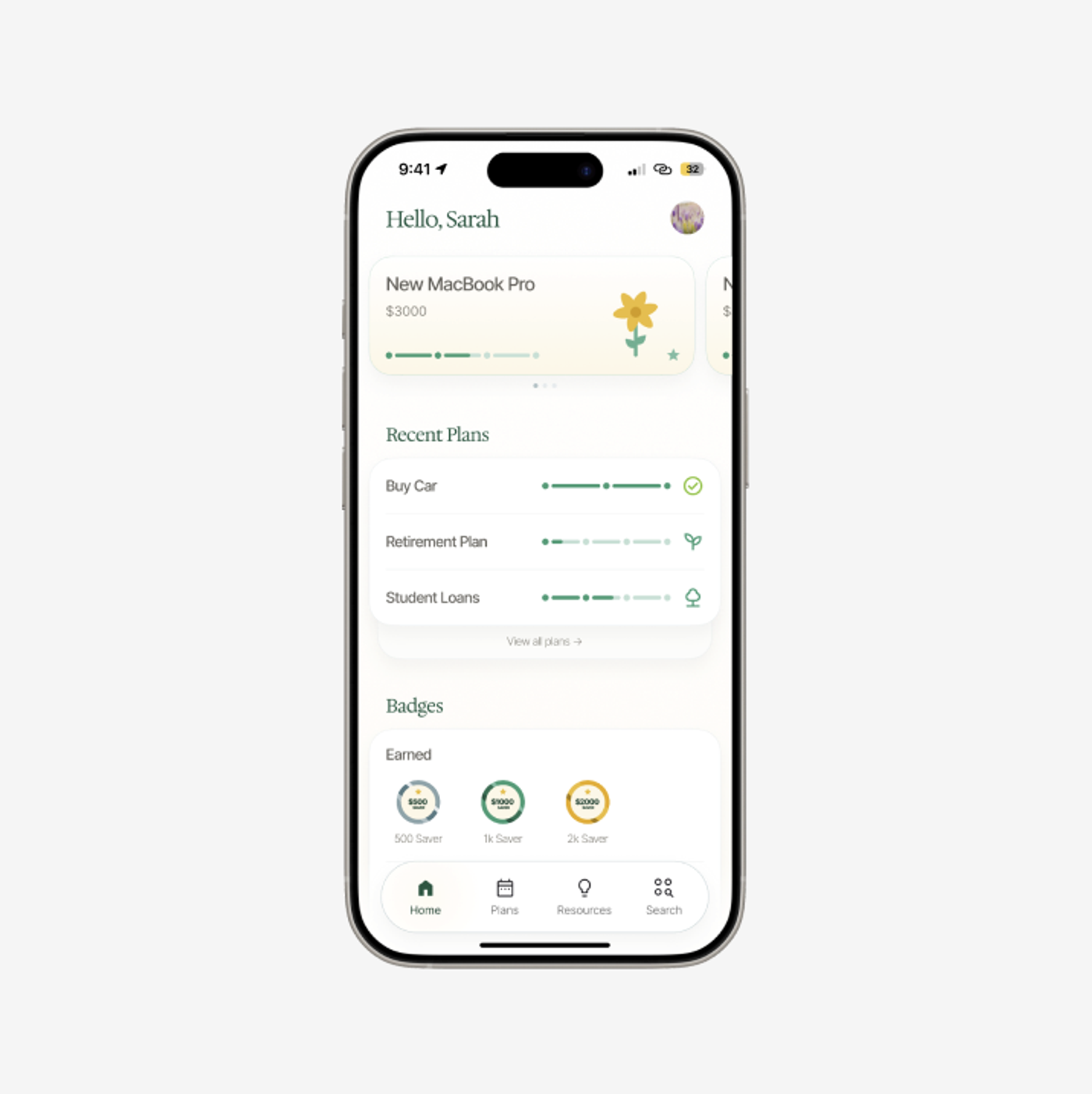
Garden presents financial goals through the language of growth. Its home-screen concept pairs a featured savings goal with recent plans and earned badges, turning a collection of money targets into a calm, readable overview.
Product concept
UI/UX
2024
Make long-term goals feel tangible through progress people can see.
- Focus
- Mobile UI/UX · Goal tracking · Visual storytelling
- Tool
- Figma
- Timeline
- November 2024
Overview
This concept explores how a mobile savings experience can show progress without making the home screen feel like a financial spreadsheet. The home screen brings together a featured goal, recent plans, milestone badges, and persistent navigation.
Goal overview
Give one goal room to stand out.
A featured goal card combines the goal name, target amount, and segmented progress indicator. A flower illustration connects progress to the Garden identity, while the personalized greeting establishes a gentle tone.
Recent plans use repeated rows for goals such as buying a car, retirement, and student loans. Keeping their progress indicators aligned makes it possible to compare several ambitions at a glance.
Milestones
Recognize the smaller steps.
An earned-badges area gives saving milestones their own space beneath the plans. Circular badges and green progress rings carry the same growth language through a different visual format.
The screen distinguishes the ongoing work of saving from the milestones already reached, rather than giving every number equal emphasis.
Interface
Keep the overview calm and legible.
Soft borders, rounded cards, generous white space, and muted green accents organize the screen into clearly defined groups. Serif section headings add a warmer voice to the functional interface.
Home, Plans, Resources, and Search remain in the bottom navigation, keeping goal tracking and supporting information connected to the overview.